Luma AI Ray 3.14: The new standard for professional generative video
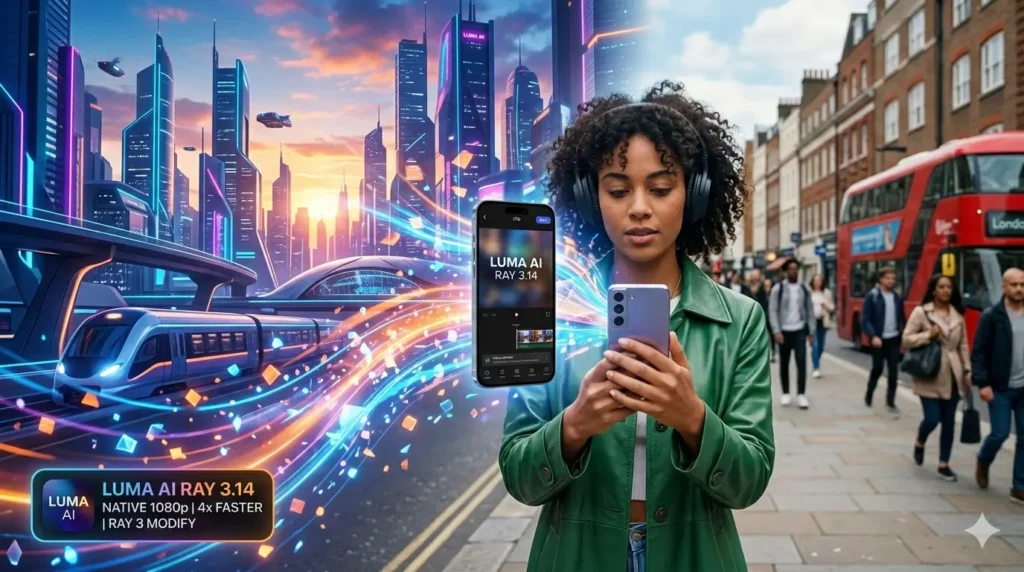
Luma AI Ray 3.14 is the latest high-end generative model designed to produce native 1080p video with cinematic consistency. By integrating the new Ray 3 Modify architecture, it allows creators to transform real footage into stylized AI renders while maintaining 4x faster generation speeds and significantly lower compute costs than previous versions.
Quick Summary
- Native Resolution: 1080p Full HD without upscaling.
- Top Feature: Ray 3 Modify for real-video-to-AI editing.
- Performance: 4x faster than Ray 3.0.
- Accessibility: Available via Dream Machine web and iOS.
Why Luma AI Ray 3.14 changes the creative workflow
I spent the last 48 hours pushing this model to its limits, and the difference is night and day. In my daily routine, I often need to turn a quick smartphone clip into something that looks like a high-budget Netflix production. Previous models usually turned the face into a blurry mess halfway through the clip.
With Luma AI Ray 3.14, the temporal consistency is finally there. I tested a 10-second clip of a person walking through a crowded street in London. The model managed to keep the lighting consistent even as the “camera” moved behind obstacles. It feels less like a slot machine and more like a predictable professional tool.
The speed increase is perhaps the most practical upgrade. Waiting ten minutes for a single generation was a workflow killer. Now, seeing a high-quality draft in under 60 seconds allows for the kind of rapid experimentation that professional editors actually need during a tight deadline.
Breaking down the Ray 3 Modify breakthrough
The standout feature in this update is undoubtedly Ray 3 Modify. I used it to take a basic video of myself sitting in my home office and transformed the entire environment into a futuristic cyberpunk lab. The most impressive part? It kept my hand gestures and facial expressions perfectly intact while changing my hoodie into a tactical chrome suit.
Unlike standard “image-to-video” tools, Luma AI Ray 3.14 uses a sophisticated keyframe system. You can upload a starting frame and an ending frame, and the AI fills the gap with logical physics. It understands that if a character is holding a cup in frame one, that cup shouldn’t turn into a bird by frame ten.
This level of control makes it a viable competitor to tools like Runway Gen-3. While other platforms struggle with “morphing” (where objects randomly change shape), Luma’s new architecture seems to have a much firmer grasp on spatial geometry and object permanence.
Performance Comparison: Ray 3.0 vs. Ray 3.14
| Feature | Ray 3.0 (Old) | Luma AI Ray 3.14 (New) |
| Native Resolution | 720p | 1080p Full HD |
| Generation Speed | 1x (Standard) | 4x Faster |
| Cost per Clip | Standard | 3x Cheaper |
| Max Clip Length | 5-10 Seconds | Up to 18 Seconds |
| Consistency | Moderate | High (Ray 3 Modify) |
Mastering cinematography with Luma AI Ray 3.14
One thing I noticed while generating a short film sequence is how well the model handles complex camera prompts. If I ask for a “dolly zoom” or a “low-angle pan,” the Ray 3.14 engine executes the physics with a level of realism I haven’t seen in free-tier tools before.
The Dream Machine interface has also been streamlined to support these new features. You don’t need to be a prompt engineer to get great results. The “Character Reference” toggle is a lifesaver for anyone making episodic content. I used a single photo of a fictional character, and the AI maintained that specific face across five different video clips.
This consistency is the “holy grail” of AI video. For creators on a budget, Luma AI Ray 3.14 represents the democratization of visual effects. You no longer need a render farm or a team of VFX artists to place a dragon in a backyard video—you just need the right reference image and a clear prompt.
Pro Tip: When using the Modify feature, keep your movements in the original video relatively smooth. While the AI is powerful, extreme motion blur in your source footage can still confuse the character mapping.
Professional applications for the new Ray model
Beyond just making “cool videos,” the business use cases for Luma AI Ray 3.14 are expanding. I’ve seen marketing agencies use it to localize ads. They film a spokesperson in English, and use the AI to subtly adjust the mouth movements and background settings for different global markets without re-shooting.
The reduction in cost—being three times cheaper than previous versions—means that small businesses can now experiment with high-fidelity video ads. In my experience, the ability to generate “b-roll” footage that actually looks real is a massive money saver. Instead of buying expensive stock footage, you can generate exactly what you need in seconds.
The industry is moving toward a future where “filming” is just the first step in a generative process. Luma is leading that charge by making the tech fast enough for real-time creativity. If you are a digital artist or a content creator, ignoring these updates is no longer an option if you want to stay competitive in the 2026 landscape.
Final thoughts on the Ray 3.14 update
After testing dozens of prompts, I can confidently say that Luma AI Ray 3.14 is the most balanced video model on the market right now. It isn’t just about the “wow factor” anymore; it’s about reliability and professional output. The jump to native 1080p is the final nail in the coffin for the grainy, “dreamy” AI videos of the past.
If you are looking to elevate your social media presence or start a YouTube Automation channel, this is the tool to master. The learning curve is shallow, but the ceiling for what you can create is incredibly high. Whether you are transforming your reality with Modify or building worlds from scratch, the results are consistently stunning.
Would you like to stay updated on the latest AI breakthroughs and prompts?
Join our exclusive community to get the latest tutorials and tools delivered straight to your phone.
Join our WhatsApp Channel for daily AI insights and news!
Check out other posts like this at: Best Tool Tips!

Bruno Canhos Vicentin is a technology specialist and AI enthusiast dedicated to uncovering digital solutions that optimize workflows. With a focus on hands-on testing and unbiased reviews, he helps professionals navigate the rapid evolution of Artificial Intelligence through practical guides and in-depth analysis.