Adobe firefly: A real-world creative review
Adobe firefly is a family of creative generative AI models designed to integrate directly into professional workflows like Photoshop and Illustrator. Unlike other generators, it is trained on Adobe Stock and public domain content, making it the only major AI tool specifically built for commercial safety and ethical output.
Quick summary
| Feature | My Verdict |
| Commercial Safety | Best in class; uses licensed data only. |
| Workflow Integration | Unmatched; lives inside Photoshop/Illustrator. |
| Image Quality | Excellent for photorealism and textures. |
| Ease of Use | Very intuitive; no complex prompting needed. |
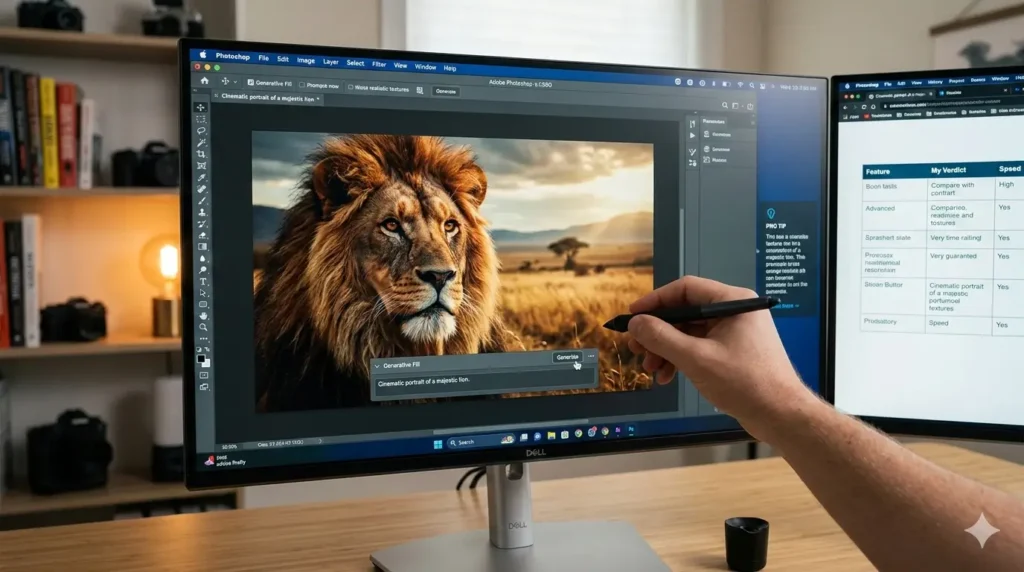
Pro Tip: When using Generative Fill, don’t just leave the prompt box empty. Even a single word like “cinematic” or “misty” drastically changes how the AI matches the lighting of your original photo.
My experience with adobe firefly in the field
I spent the last month pushing adobe firefly to its limits, not just playing with it during lunch breaks, but using it for actual client deliverables. I used it to extend backgrounds for social media banners while sitting in a crowded coffee shop, and the speed at which it matched the depth of field of my original shots was genuinely impressive.
The most significant shift in my daily routine happened when I stopped treating AI as a “toy” and started using it as a “technical assistant.” Instead of spending forty minutes manually cloning out a distracting power line or a stray tourist in a travel photo, I let the AI handle the heavy lifting in seconds. It allows me to stay in the creative flow rather than getting bogged down in tedious pixel-pushing.
How adobe firefly changes the design game
The integration of adobe firefly into the standard Creative Cloud suite is its “killer feature.” Most AI generators require you to jump between browser tabs, download images, and then re-import them into your editing software. With this tool, I simply highlight an area in Photoshop and watch the magic happen without ever leaving my canvas.
I’ve found that the “Text to Image” module is particularly useful for mood boarding. When a client asks for a “futuristic but organic” aesthetic, I can generate five distinct concepts in under a minute. It’s not about replacing the final art, but about reaching the “Aha!” moment with a client much faster than I ever could by scouring stock photo sites.
Navigating the ethics of generative AI
One thing I appreciate is the transparency regarding Content Credentials. Every time I export a piece of work that used these models, a digital “nutrition label” is attached. This proves I’m not trying to pass off AI-generated content as a raw photograph, which is becoming a massive requirement for the brands I work with.
Because the training data is sourced from Adobe’s own library, I don’t have that lingering anxiety about copyright strikes or “stolen” art styles. It’s a cleaner, more professional approach to a technology that often feels like the “Wild West.” This commitment to ethical AI is why many corporate legal departments are approving this tool while banning others.
Putting the image 3 model to the test
The latest update to the adobe firefly Image 3 Model is a massive leap forward in terms of skin textures and lighting. Earlier versions sometimes struggled with “uncanny valley” faces or strange lighting artifacts, but the current iteration handles complex prompts with a much higher level of nuance.
I noticed a massive improvement when working on a portrait series last week. I needed to add a specific style of eyeglasses to a model. The AI didn’t just “paste” them on; it calculated the refraction of light through the lenses and the way the frames cast a shadow on the cheek. That level of detail is what separates a professional tool from a basic filter.
Adobe firefly vs. the competition
| Feature | Adobe Firefly | Midjourney | DALL-E 3 |
| Commercial Use | Safe/Insured | Uncertain | Limited |
| Integration | Native (PS/AI) | Discord only | ChatGPT/API |
| Training Data | Licensed Images | Scraped Web | Scraped Web |
Real-world scenarios: From the train to the studio
There’s a specific freedom in being able to handle complex edits on the go. I recently used the web-based version of the tool to remove a complex watermark from a prototype file while on a train. Even with a spotty 5G connection, the “Generative Remove” feature performed better than my manual attempts would have on a desktop.
It’s also worth noting how well it handles vector graphics. In Illustrator, the “Generative Recolor” feature has saved me hours of manual labor. I can take a logo and instantly see it in “Autumn Sunset” or “Neon Cyberpunk” palettes. It’s a massive time-saver for designers who need to iterate quickly for different marketing campaigns.
Is it worth the subscription?
If you are already in the Adobe ecosystem, adobe firefly isn’t just an add-on; it’s a fundamental upgrade to how you interact with pixels. I’ve found that my “time-to-completion” for complex composites has dropped by nearly 60%. That’s more time I can spend on the high-level strategy and less time on the “grunt work.”
While it might not have the “wild” artistic chaos of some other AI tools, its predictability and professional-grade output make it the superior choice for anyone who bills clients for their work. It feels like a tool made by people who understand the frustrations of a professional designer’s daily life.
Stay ahead of the AI curve! If you want to keep up with the latest tests, prompts, and professional workflows I’m discovering, join our community.
Join our WhatsApp Channel to get the latest posts and insights delivered straight to your phone.

Bruno Canhos Vicentin is a technology specialist and AI enthusiast dedicated to uncovering digital solutions that optimize workflows. With a focus on hands-on testing and unbiased reviews, he helps professionals navigate the rapid evolution of Artificial Intelligence through practical guides and in-depth analysis.