APOB AI: My Full Guide to Dominating the AI Influencer Market
What is APOB AI?
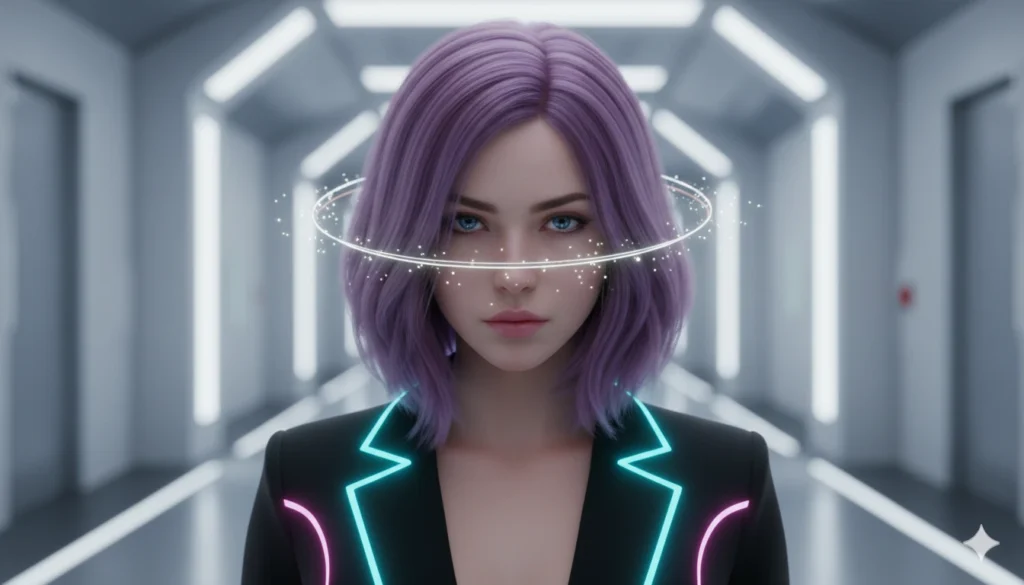
APOB AI is a specialized generative platform designed to create and manage consistent AI influencers. Unlike standard image generators, it allows you to lock a character’s face across different photos and videos, offering advanced features like face-swapping, talking avatars, and AI-driven fashion editing for social media growth.
Why I Switched to APOB AI for Digital Avatars
In my experience testing various generative tools, the biggest challenge has always been identity consistency. Most tools change the person’s face slightly in every new prompt. I found that APOB AI solves this by using a dedicated “Face-Lock” technology that ensures your digital model looks exactly the same, whether they are “posing” in Paris or “walking” down a digital runway.
If you are looking to diversify your AI toolkit, I highly recommend checking out this guide on how to use Kling AI V2, which is another powerhouse for high-end video generation that complements what you can do here.
Core Features That Set This Tool Apart
To truly master the platform, you need to understand its four pillars:
- Consistent Character Training: You upload a base image, and the AI learns the specific facial geometry of your influencer.
- Video Face-Swap (ReVideo): I use this to take trending clips and overlay my AI character’s face perfectly onto the movement.
- AI Wardrobe: You can change outfits without regenerating the whole image, which is vital for “outfit of the day” (OOTD) style accounts.
- Talking Heads: A built-in lip-sync tool that makes your avatar speak naturally based on any audio file.
Comparison: APOB AI vs. Traditional AI Tools
| Feature | APOB AI | Midjourney / DALL-E |
| Character Consistency | Native “Face-Lock” | Requires complex prompting |
| Video Editing | Built-in Face-Swap | Not available |
| Learning Curve | Low (User-friendly Dashboard) | High (Prompt Engineering) |
| Primary Use Case | Social Media Influencers | General Art / Design |
Pro Tip: My Strategy for Viral Content
Don’t just generate static images. The secret to exploding on Instagram or TikTok is movement. Use the ReVideo feature to find high-energy, viral clips and swap your character into them. This creates the illusion of a real person living a luxury life, which is the cornerstone of the “Faceless” influencer niche.
See it in Action: Video Tutorial
How to Get Started (Step-by-Step)
- Click here to acess the website.
- Define Your Persona: Choose a niche (fitness, fashion, or tech).
- Upload the Base: Use a high-quality, front-facing photo for the “Face-Lock” training.
- Generate Scenarios: Use the “Image-to-Image” tool to place your character in different settings.
- Animate: Take your best result and use the “Talking Avatar” feature to add a voice.
Ethical Considerations and E-E-A-T
As a creator, I always suggest being transparent. While these avatars look incredibly real, adding a disclaimer like “#AIInfluencer” in your bio helps maintain trust with your audience while still benefiting from the massive engagement these profiles generate.
Ready to scale your digital presence?
The world of AI is moving faster than ever. If you want to stay ahead of the curve and receive the latest prompts, tools, and tutorials directly on your phone:
👉 Join our exclusive WhatsApp Channel for daily AI updates!

Bruno Canhos Vicentin is a technology specialist and AI enthusiast dedicated to uncovering digital solutions that optimize workflows. With a focus on hands-on testing and unbiased reviews, he helps professionals navigate the rapid evolution of Artificial Intelligence through practical guides and in-depth analysis.